SIEM export: streaming MailGuard events to Splunk, Sentinel and QRadar
SIEM export delivers the MailGuard events as a normalised stream to Splunk, Microsoft Sentinel, IBM QRadar and Elastic. Cursor-based pull API and optional webhook push, formats JSON, ECS, CEF and LEEF.
SIEM export delivers the security and email events of the gateway as a normalised event stream to SIEM systems such as Splunk, Microsoft Sentinel, IBM QRadar and Elastic. In the first version the events come from MailGuard. Two paths are available: a cursor-based pull API at the core and an optional webhook push.
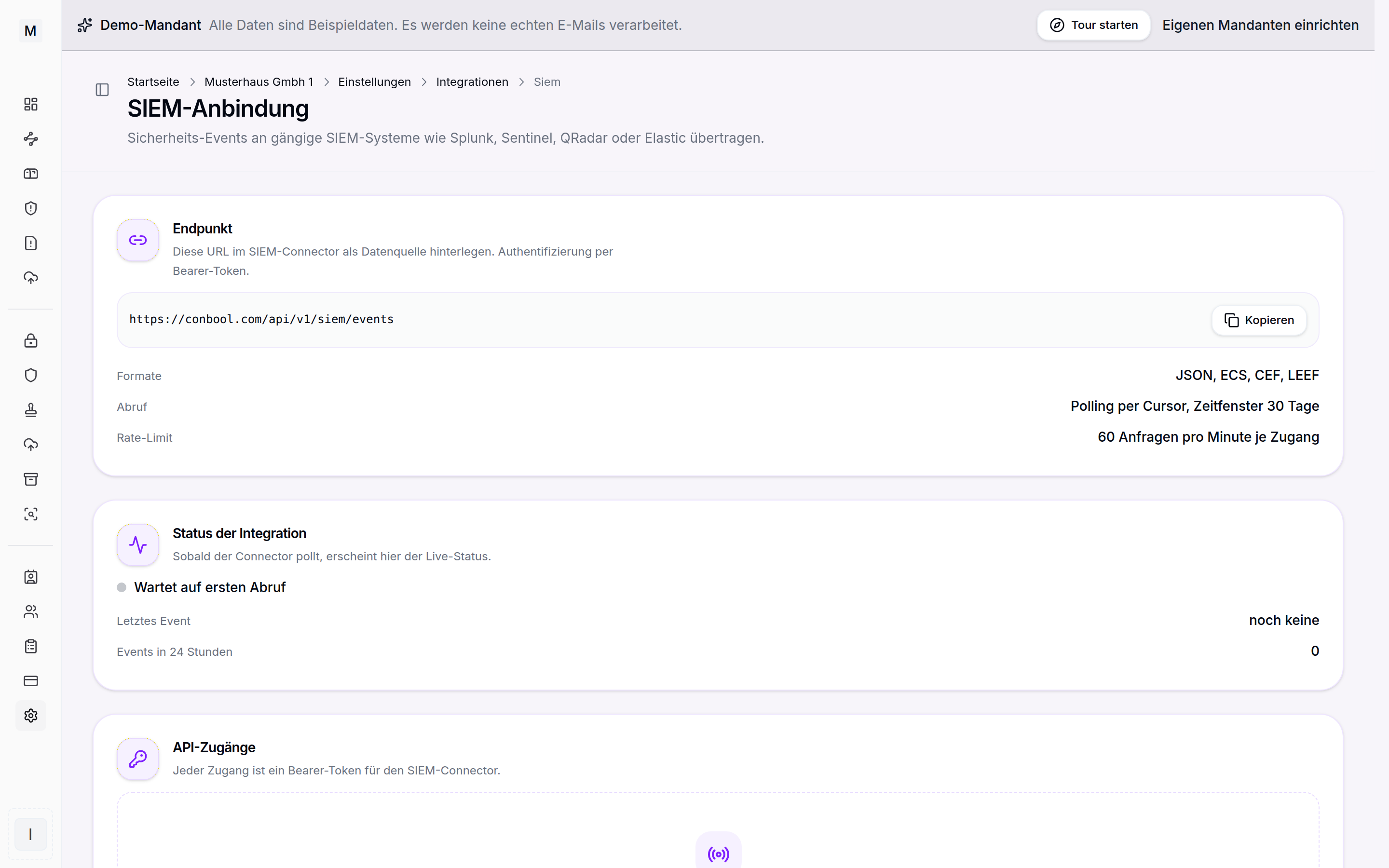
The SIEM connection in the integration settings of MailGuard.
Prerequisite and activation
SIEM export requires an active MailGuard licence and is activated per tenant. Anyone who sees MailGuard can use the SIEM export once access is enabled. The configuration sits in the settings in the integrations area on the SIEM connection card.
Pull API at the core
The core is a pull API. The endpoint is https://conbool.com/api/v1/siem/events and returns the events page by page. Authentication uses a bearer token with an API key in the format csk_live_. Pagination is cursor based and gapless, so that no event is lost and none appears twice on a repeated fetch. The retrievable window covers 30 days. A rate limit of 60 requests per minute applies per credential. JSON, ECS, CEF and LEEF are available as target formats.
curl -H "Authorization: Bearer csk_live_..." \
  "https://conbool.com/api/v1/siem/events?limit=100"
Two further endpoints complement the fetch. GET /api/v1/siem/health serves as a self-test of the connection. POST /api/v1/siem/events/replay delivers a time window again and is limited to one request per hour.
Cases instead of events
Alongside the events there are three endpoints for the view on cases. They do not answer "what happened" but "what is open":
- GET /api/v1/mailguard/reports lists the messages reported by staff, with classification and handling state. The reporter's address is deliberately not part of the output.
- GET /api/v1/mailguard/remediation-runs lists the remediation runs with state, chosen reaction and counts. With
?id=the affected mailboxes and their outcome are included. - GET /api/v1/mailguard/mailbox-scans lists the retroactive threat scans. With
?id=the findings are included, with mailbox, sender, subject and reason.
All three are read-only and take the same from, to, limit and cursor parameters as the event fetch. Remediation cannot be triggered through the interface: removing mail from mailboxes stays an action in the customer account, with approval.
They require the mailguard:read scope. Access keys created before 6 September 2026 do not carry it and will be refused there. Rotating a key from the access list creates one with both scopes; no retrofitting happens in the background, because a key for the event fetch should not gain insight into open cases unasked.
Event types in the stream
In the first version all events come from MailGuard.
- mail.received
- mail.delivered
- mail.deferred
- mail.rejected
- mail.quarantined
- mail.quarantine.released
- mail.sanitized
- mail.threat.detected
- dlp.incident
- url.click.allowed
- url.click.blocked
Every verdict carries an enforcement field with the value audit or enforce. A SOC can thus recognise whether a detected threat was only observed or actually blocked, and does not read a hit in observation mode as a block. The background is provided by audit and enforce mode.
Every mail event also carries a direction field with the value inbound, outbound, internal or unknown. A SOC thereby separates incoming foreign mail from outgoing and internal mail, without the detour through authentication fields. In ECS the value additionally appears under network.direction, in CEF and LEEF as direction. Link click events carry no direction, since they have no mail direction.
Creating and protecting API credentials
A new credential defines the target format and its restrictions.
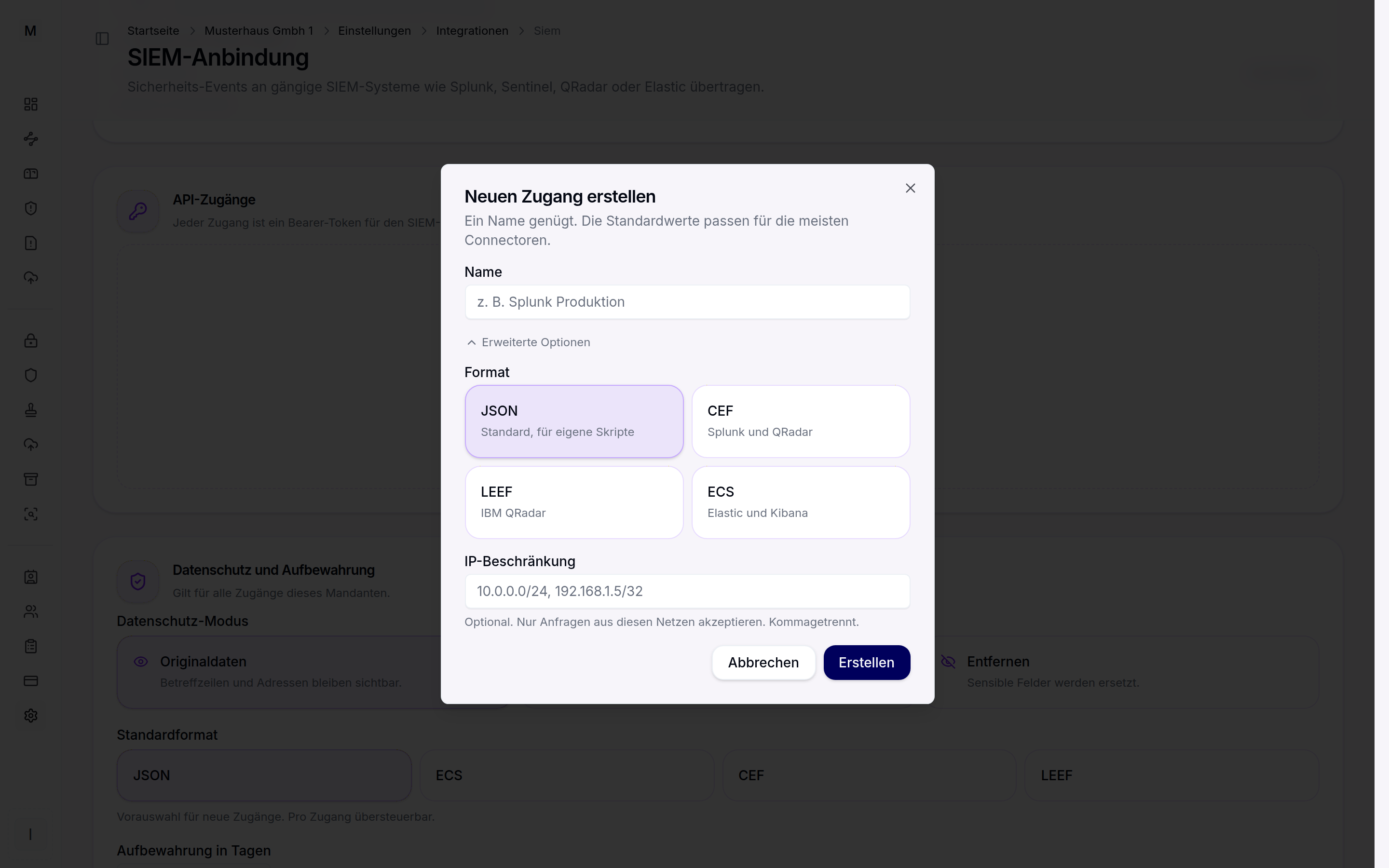
New API credential with target format and optional IP restriction.
The API key is shown once at creation and never displayed again. Existing credentials can be rotated and revoked. On rotation a transition period of 30 days applies, during which the old and the new key stay valid in parallel. Optionally a CIDR allowlist per credential restricts the permitted source IPs.
Ready-made connector configurations
For common systems a ready-made configuration is available for download per credential, both in the creation dialogue and in the credential list. Configurations are available for Filebeat, the Splunk HTTP event collector, Microsoft Sentinel, IBM QRadar as well as a curl script for operation through cron. Endpoint, cursor handling and parsing of the event format are already set in them, only the API key and your own target are added.
Elastic Cloud and Elastic Serverless do not fetch the events themselves. A lightweight collector such as Filebeat runs for that, polling the endpoint and writing the events into Elasticsearch as ECS documents. The provided Filebeat configuration maps exactly this flow.
Data protection and retention
A PII mode per tenant governs how personal fields are delivered. In plain mode the subject and addresses stay in clear text. The hash mode replaces subject and addresses with a SHA-256 value. The redact mode removes these fields entirely. Retention of the export data is configurable between 7 and 365 days. A right to be forgotten can be executed specifically for one email address.
Webhook push
Besides the fetch, the SIEM export can deliver events to an HTTPS URL of your own. Every delivery is signed with HMAC-SHA256 over timestamp.body, using a signing secret shown once during setup. Failed deliveries are retried automatically with increasing backoff. After permanent failures the webhook is switched off.
Roles and rights
Access follows the role model of the tenant. Owner, security admin and mail admin may view credentials, manage credentials and change the configuration. The auditor role may only view credentials.
Value for compliance
If the events are retained in your own SIEM and correlated with other sources, this supports the evidence obligations of email security, among others in the NIS2 context. How email security fits into NIS2 is described in NIS2 and email security.
Further reading
Which events arise is determined by the protection in MailGuard. Whether a verdict is observed or enforced is settled by audit and enforce mode. Held messages are shown in the MailGuard quarantine, DLP incidents come from the DLP rules. For context see the MailGuard product page and the SIEM export solution page.