Audit and enforce mode for MailGuard policies
Audit and enforce mode in MailGuard: observe rules first, then enforce them. Rollout without breaking delivery, malware is always blocked.
Every policy runs in one of two modes. Audit mode observes, enforce mode enforces. This separation allows a rollout without breaking delivery, because the behaviour of a rule can be checked before it intervenes.
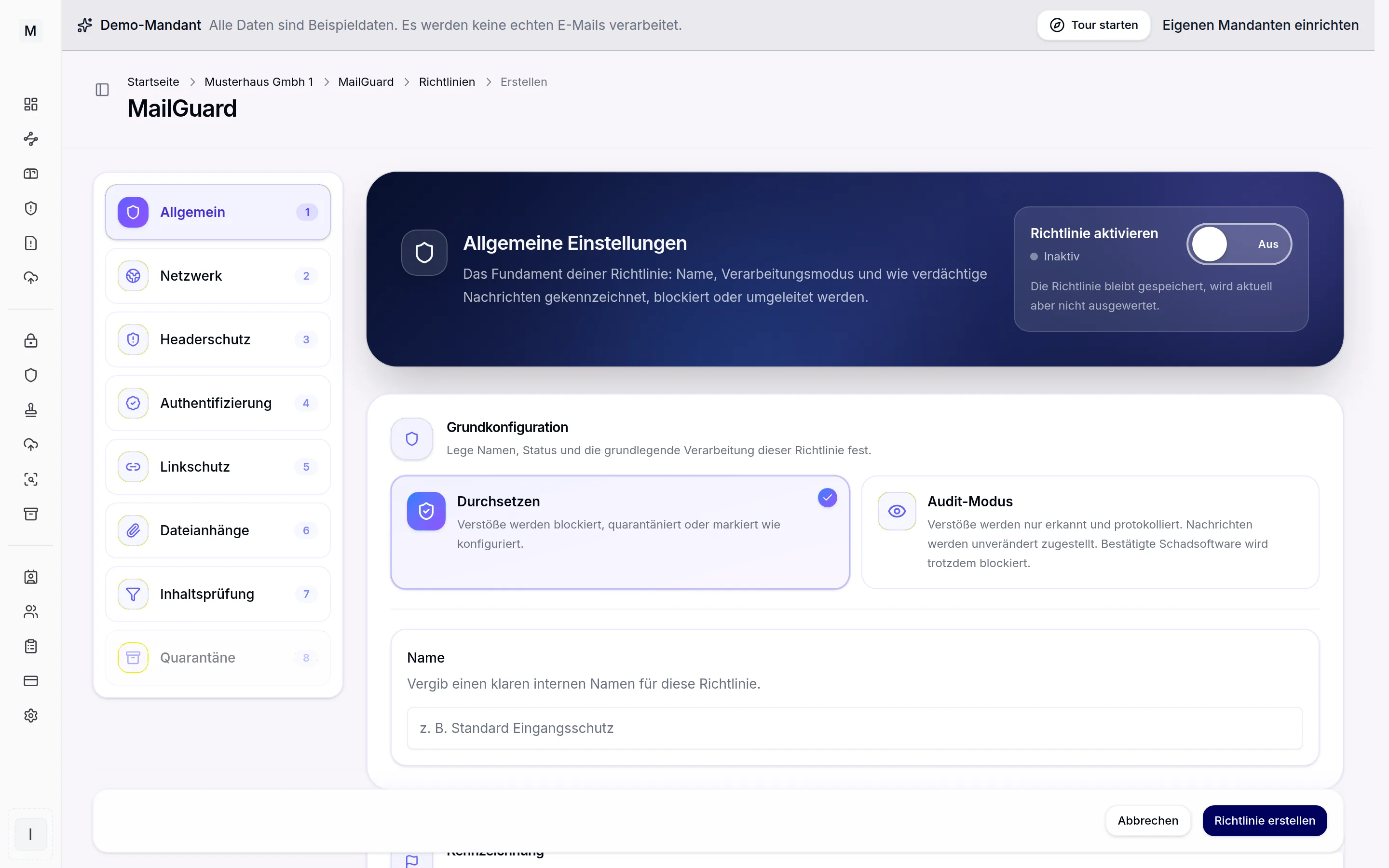
The mode decides between observing and blocking.
Enforce: acting on findings
In enforce mode violations are blocked, moved to quarantine or flagged, exactly as configured in the policy. This is the target state for productive protection.
Audit: observing only
In audit mode violations are only detected and logged. The messages are delivered unchanged. Hits land in tracing and can be analysed there without any user noticing a change.
One exception applies regardless of the mode: confirmed malware is always blocked, in audit mode as well.
Rollout without breaking delivery
Audit mode is the safe way to start a new or tightened rule. This approach has proven itself.
- Activate the new policy in audit mode.
- Observe hits in tracing over a few days.
- Adjust thresholds and exceptions on the basis of real messages.
- Switch to enforce as soon as no legitimate mail is affected any more.
Misclassifications become visible before they disturb business operations. The same holds for the DLP rules, which have an audit mode as well.
Further reading
Which messages a policy catches is governed by the scoring described on the spam and phishing page. Held messages are shown in the quarantine. MailGuard gives the overview, the MailGuard product page puts it in context.