Signing and encrypting outgoing email
Sign and encrypt outgoing messages by rule with S/MIME or OpenPGP, with a fallback to the message portal or as a PDF.
For outgoing messages SecureMail signs and encrypts automatically at the gateway. A route with the direction outbound defines which senders and recipients receive which cryptographic treatment.
Addressees and direction
The first step determines the addressees. With outgoing mail the sender is a mailbox of the tenant domain and the recipient is the external counterpart. Addressees can be chosen as a single address, as a group or as all mailboxes. A rule thus applies specifically to one team, one domain or the entire tenant.
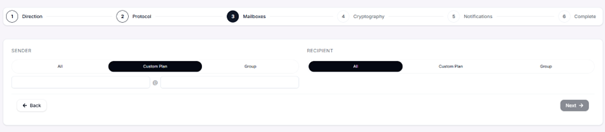 Addressees and direction of an outbound route.
Protocols and order
Then the protocols are enabled: S/MIME, OpenPGP, the message portal and PDF password delivery. If several are active in one rule, SecureMail works through an order. If no key-based encryption can be applied, the fallback into the portal or as an encrypted PDF takes effect.
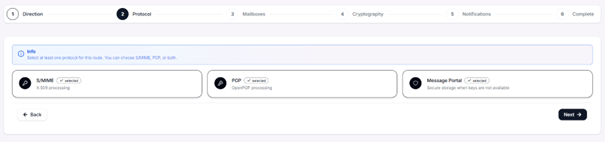 Protocols with portal and PDF fallback.
Additional conditions: attachment, file type, size
A rule carries one method. Which method applies therefore does not have to be decided by the fallback; it can be tied to the message itself. In the Mailboxes step, the Additional conditions section opens up three further criteria:
- Attachment — the rule applies only with, or only without, an attachment. Real attachments are counted; a logo from an HTML signature is not.
- Attachment types — Office, PDF, archives, images and more. Detection reads the file content, not the extension. A ZIP file renamed to
.pdfdoes not slip through. - Size at most — an upper limit in KiB for the whole message.
Left empty, a rule applies as before. Existing rules do not change their behaviour.
Example: S/MIME without attachment, PDF with attachment
Two rules with the same recipients, told apart by the condition alone:
| Priority | Condition | Protocol |
|---|---|---|
| 10 | With attachment | PDF password |
| 0 | — | S/MIME |
The first rule whose recipients and condition match wins. If the condition does not match, the rule does not mask the next one but lets it through. A message without an attachment therefore gets S/MIME, one with an attachment gets the PDF.
Signature and encryption rules
The cryptography step governs signing and encrypting separately. For signing, send without signature, sign if possible and send signed only are available. For encrypting the options range from send without encryption through encrypt if possible and send encrypted only to send only if all recipients can be encrypted for. In addition the signature mode, encryption mode, symmetric algorithm and hash algorithm can be set. The key is determined automatically from the sender address, a specific certificate is optional.
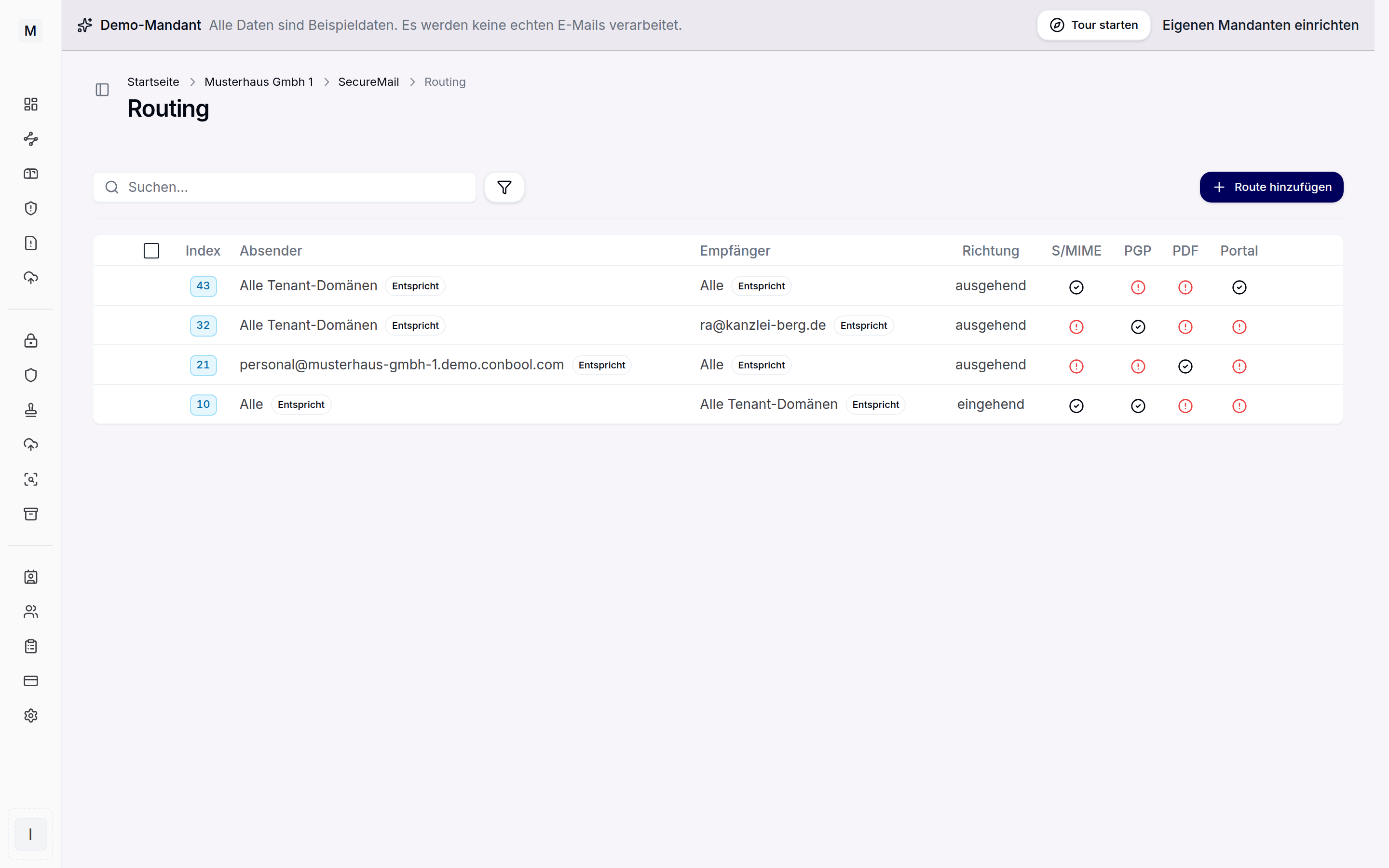 The routing table governs signature and encryption.
Encryption can additionally be triggered through a keyword in the subject, for instance secure. This cryptographic signature under S/MIME or OpenPGP differs from the visual, legal signature of the Disclaimer module, and both can be combined.
The opposite direction is described in inbound messages. Keys and certificates are managed on the certificates page. The fallback without a certificate is described under message portal. On domain authentication see SPF and DKIM.