SPF and DKIM: the basics of DMARC alignment
SPF and DKIM explained: how both methods authenticate senders and how DMARC builds on them through alignment. Including the DKIM record in DNS.
SPF and DKIM are the two methods DMARC builds on. SPF checks the sending server, DKIM secures the content cryptographically, and DMARC links both through what is called alignment.
SPF: authorised sending servers
The Sender Policy Framework defines which servers may send in the name of a domain. A TXT record lists the authorised IP addresses and includes. The receiving server compares the envelope address in MAIL FROM with that record. Important is the lookup limit of ten DNS queries, which is quickly exceeded through nested includes.
DKIM: cryptographic signature
DomainKeys Identified Mail signs every outgoing message with a private key. The corresponding public key sits as a TXT record under <selector>._domainkey.your-domain.com in DNS. The recipient thereby verifies that the message was not altered in transit. The following example shows a DKIM record in the DNS zone of a verified domain.
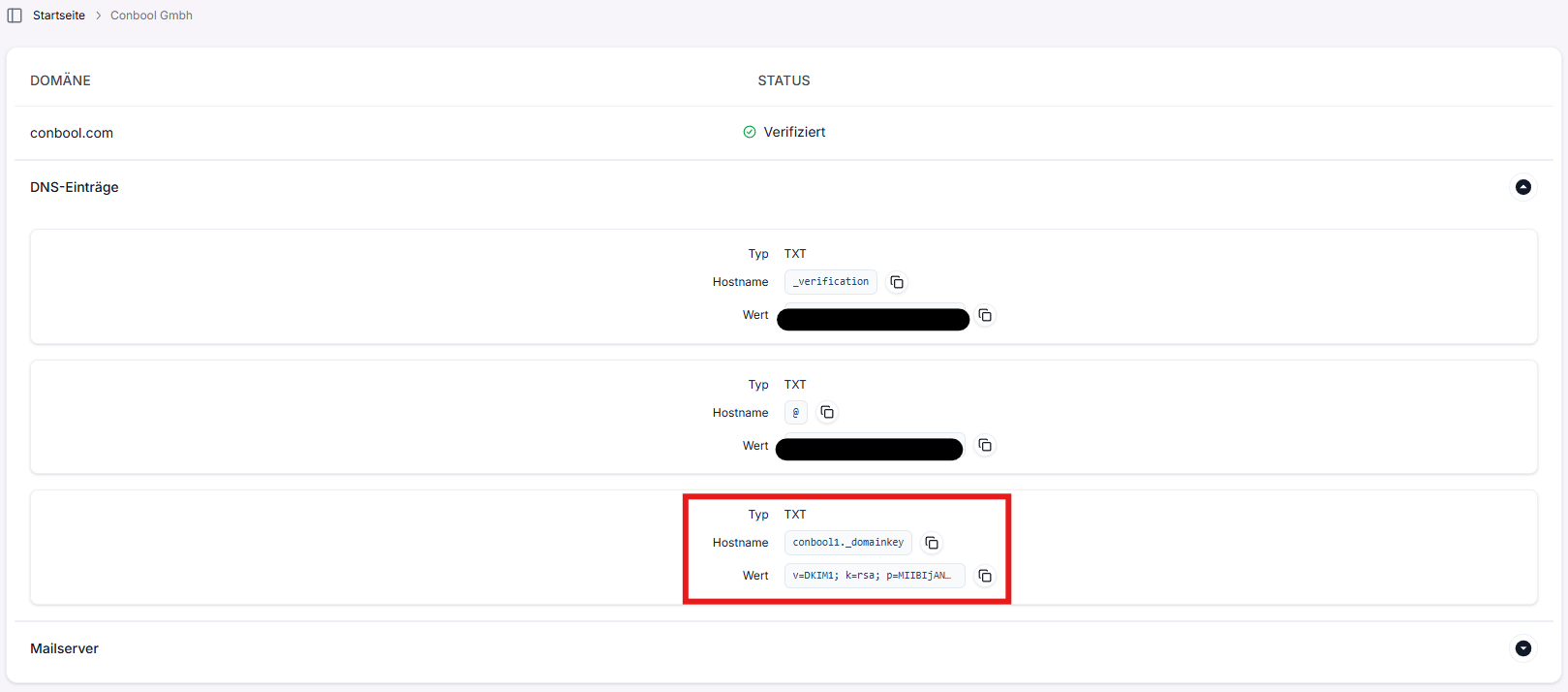
Example of a DKIM key as a TXT record in DNS.
This signature at domain level is to be distinguished from the per-message S/MIME signature, which confirms individual senders cryptographically. The latter belongs to SecureMail certificates.
Alignment: the link to DMARC
DMARC passes when at least one of SPF or DKIM is aligned. Aligned means that the domain in the visible sender field, the header From, matches the SPF or DKIM verified domain.
- relaxed: the organisational domain has to match. Governed through
adkim=randaspf=r. - strict: the domain has to match exactly. Governed through
adkim=sandaspf=s.
One alignment is enough: a correctly DKIM-signed message passes DMARC even when a forwarder has broken the SPF path.
Next
How these values get into the record is shown in creating a DMARC record in DNS. The practical analysis is described in analysing DMARC aggregate reports properly. Setting up the DNS records is explained in connecting a domain. Inbound protection is handled by MailGuard.