Inviting users, roles and permissions
Invite members into the tenant and assign roles. From owner through mail admin to auditor, roles govern every permission.
A tenant is run by several people with different jobs to do. Roles govern who may see and edit which areas.
Inviting members
Invitations run inside the tenant through the Members area. Enter the email address and role of the new person there. The invited person receives an email and joins the tenant with the assigned role once they accept. Roles can be changed later.
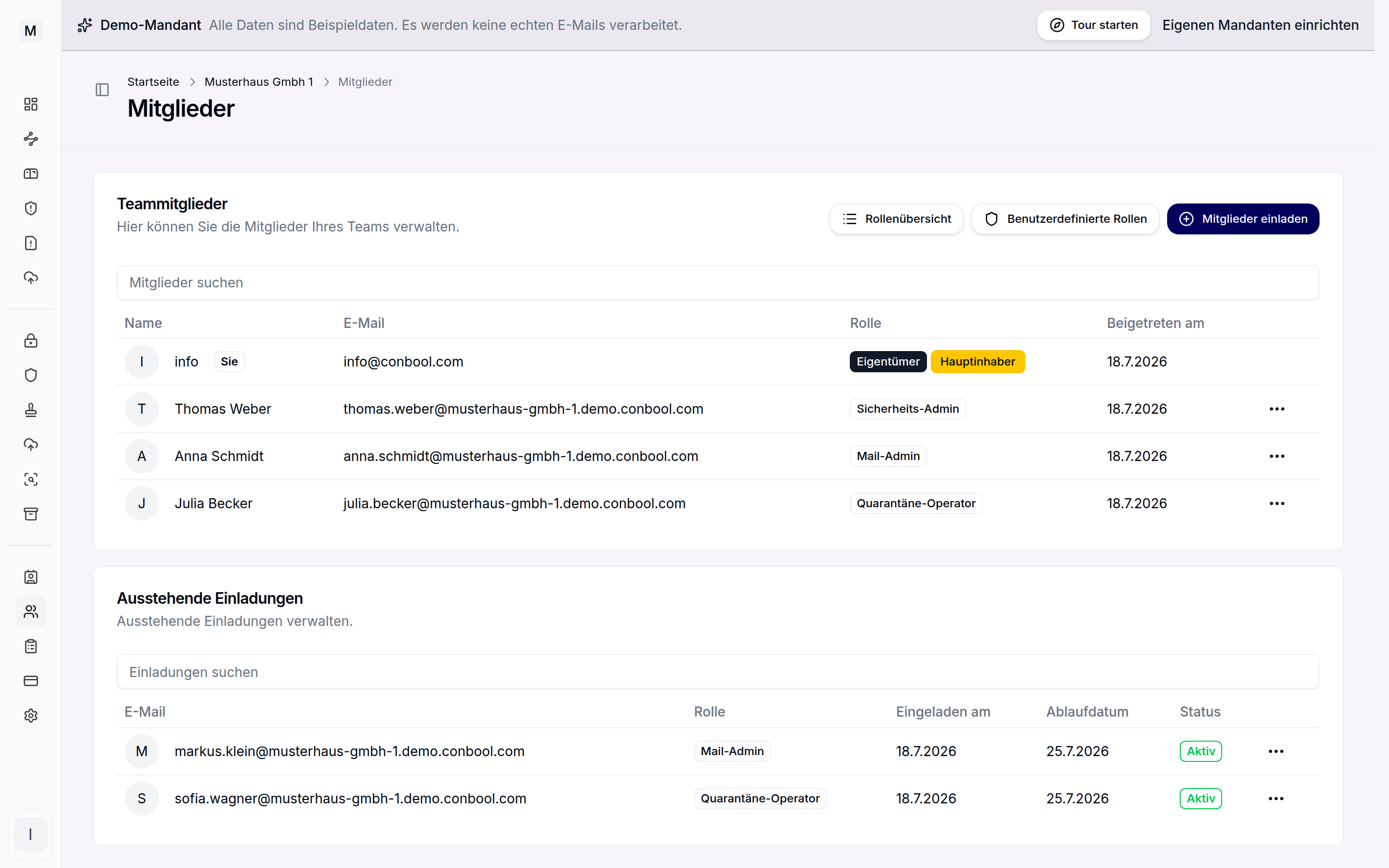 Members of a tenant with their assigned roles.
The roles at a glance
Conbool ships predefined roles for the usual jobs:
- Owner manages the tenant completely, including billing and role assignment. That includes the tenant move: requesting, releasing and importing the migration package. Because the package contains private keys, requesting and releasing are split across two people under the four-eyes principle.
- Security admin manages everything except billing and role assignment. Removing members is excluded as well. The tenant move is carried out as by the owner.
- Mail admin manages the mail products, DMARC Reports, monitoring and distribution groups.
- Sales manages the subscription and invoices, accepts quotes and buys licences.
- Marketing manages disclaimer templates and their routing, sends SecureFiles transfers, creates and revokes inboxes and uploads into released pools. No access to quarantine, MailGuard rules or other settings.
- DLP officer manages DLP rule groups, data sources and incidents as well as the outbound quarantine. Additionally reads the outbound MailGuard routing, tracing and the audit log, without write access to MailGuard or SecureMail.
- Quarantine operator reads and works on the inbound and outbound quarantine.
- Analyst reads tracing, the monitoring dashboard, MailGuard rules, DLP rule groups and incidents as well as SecureFiles transfers. Beyond reading, only the export of tracing data and uploads into released pools.
- Auditor has read access to all modules. Beyond reading, exports the audit log, DLP incidents and tracing and carries out GDPR disclosure and deletion in SecureFiles.
- Recipient is an internal employee with their own mailbox and self-service.
- Guest is an external portal user without administrative rights.
Permissions and custom roles
Every role bundles permissions per module, and every menu entry is checked individually against the actual permissions. If the predefined roles are not enough, custom roles with a suitable permission scope can be created in the settings. The role overview inside the tenant shows the exact scope of every role.
For audits and tenders the role overview also renders the same state as a document, with a profile per role and a matrix of all permissions. The document can be printed and saved as a PDF and comes from the same source as the access check, so it is never older than the configuration.
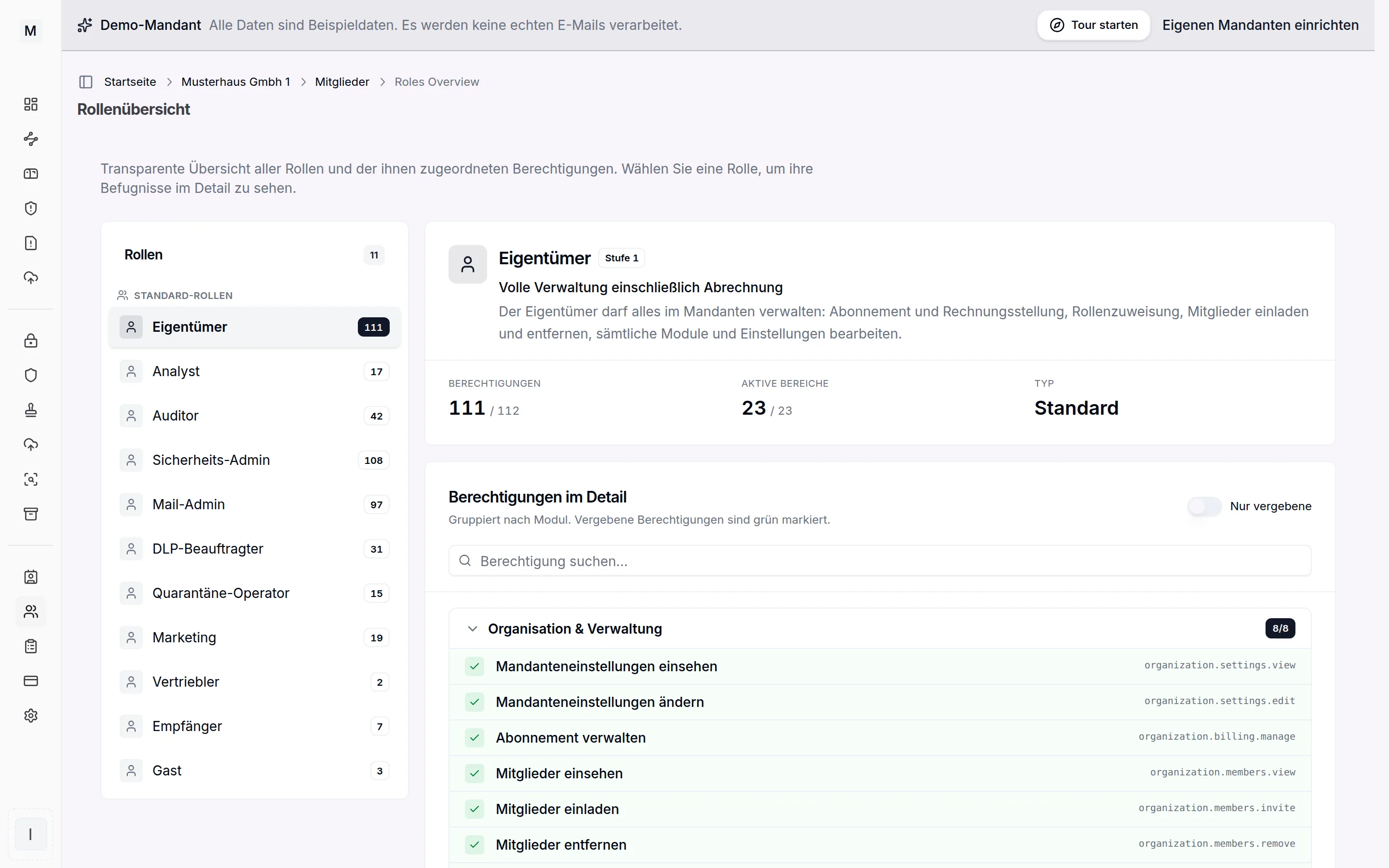 Built-in roles and their permissions at a glance.
Mandatory two-factor
A tenant can make two-factor authentication mandatory for its members. The basics of signing in are described under registration and sign-in.
Next
With users in place it is worth looking at the modules at a glance and at licensing, because the suite is billed per mailbox.