MailGuard quarantine: release and notification
The MailGuard quarantine holds suspicious email, allows release through a token link, notification and sender actions by recipients.
The quarantine is the holding area for suspicious messages. Instead of delivering them or discarding them silently, MailGuard holds them back and provides a controlled way to release them.
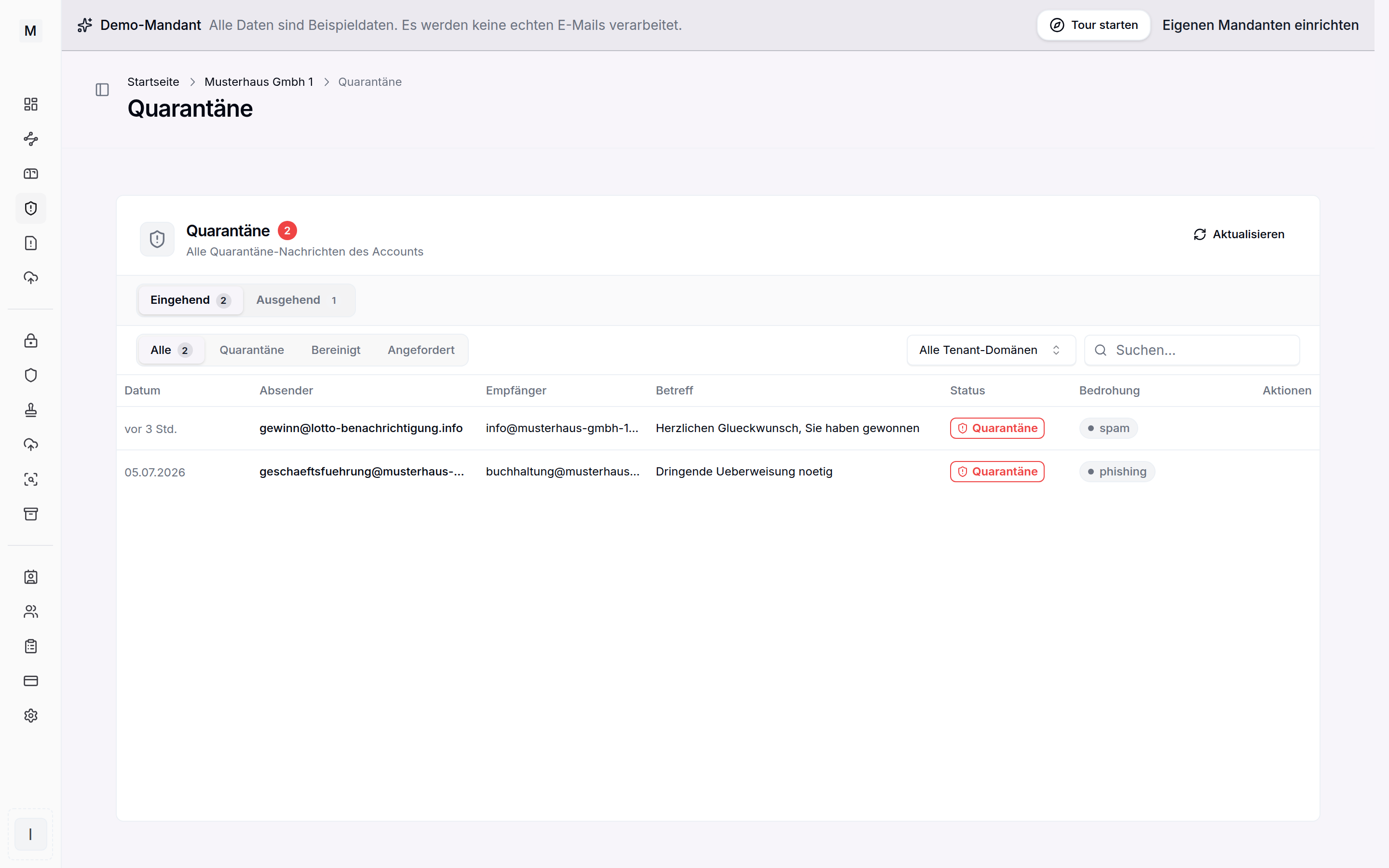
Held messages can be reviewed and released.
When an email lands in quarantine
If quarantine is switched on in a policy, a message is stored there instead of being delivered. This is triggered by the score, provided the policy puts marked messages into quarantine, by the sender authentication rules, by conspicuous headers and links as well as by the attachment filter and the DLP rules. The thresholds are described on the spam and phishing page.
Release by recipients
For a held message the recipient receives a notification with a release link. The release page is reachable only through that link and is protected by a token. To confirm, the recipient enters their own email address, after which the original message is delivered.
The original is wrapped in an envelope and delivered as an attachment. This avoids spoof filters and the delay drop in Microsoft 365.
At a high threat level self-release is locked, in which case the administrator can be notified. A separate threshold is decisive: up to that score the release button appears for recipients, above it only preview and a request to the administrators. Released messages carry the header X-Conbool-Released: yes. So that they do not get caught in the spam scoring in Exchange again, the matching exception rule belongs set there, described under Exchange connectors.
How long messages stay
The retention period is set in the MailGuard settings under Retention period. The default is 90 days, adjustable between 7 and 365 days, an empty field means unlimited.
A daily run then removes the stored message including its attachments. The entry in message tracing remains as evidence and is labelled retention period expired. A release is no longer possible from that point, because the original no longer exists.
Sender actions
From the same notification the recipient can permanently block a sender or trust them. A trusted sender is no longer moved into quarantine, a blocked sender is rejected automatically. These personal lists complement the central IP and sender filter.
Administration
Administrators release messages centrally and can have clean files released automatically after the attachment check. Every release and every sender action can be followed in tracing and in the audit log.
Digest notification and schedules
If delivery runs in portal-only mode, MailGuard combines held messages into one digest notification. Its rhythm is set under settings in the MailGuard area. Never, daily, weekly, monthly and, newly, custom are available.
The custom option opens a schedule editor. Individual weekdays from Monday to Sunday can be selected there, at least one, along with up to four times per day. Sending takes place on every selected weekday at every selected time, all times in the Europe/Berlin time zone.
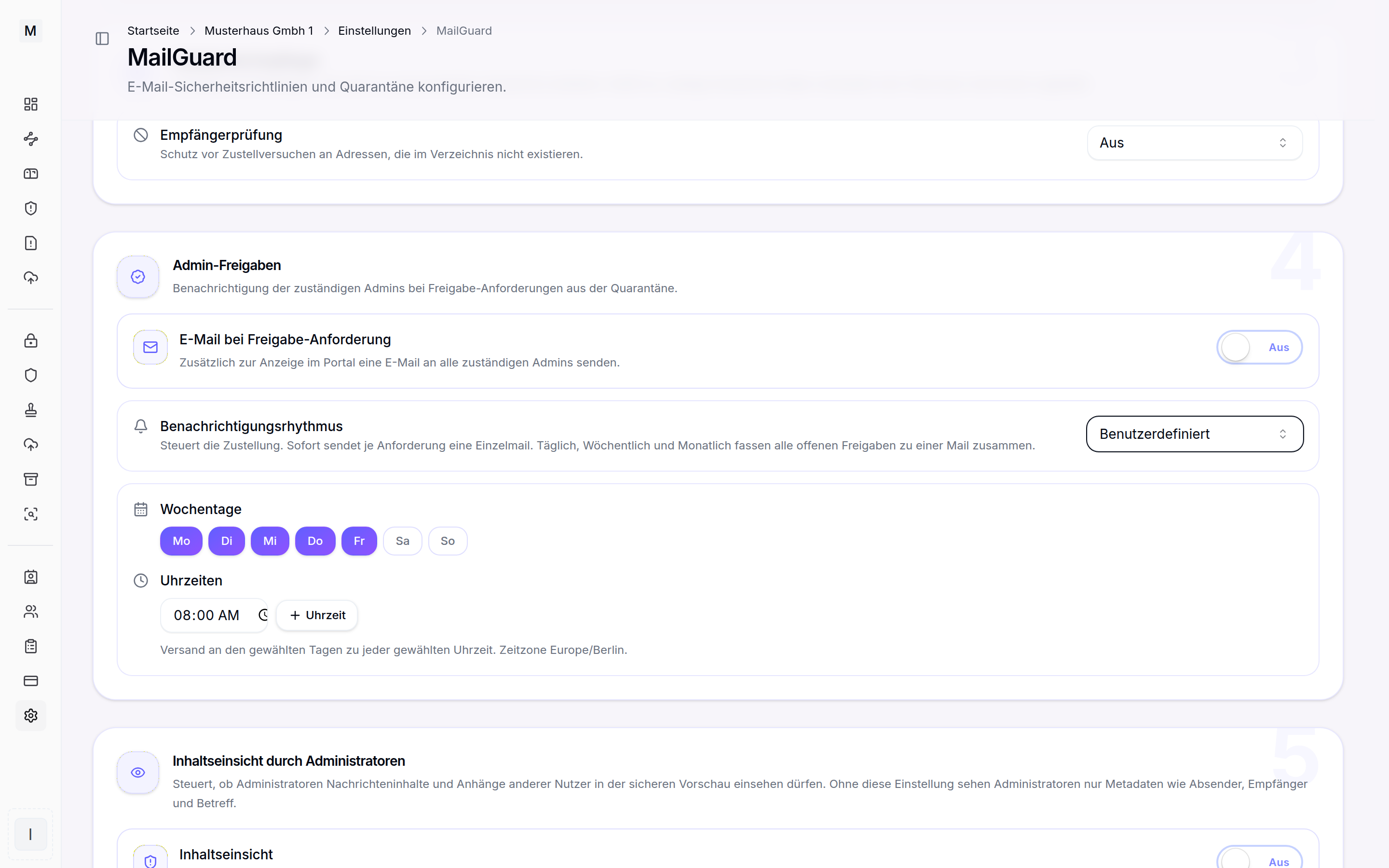
Custom schedule with weekdays and up to four times.
Missed times are caught up for up to six hours, older ones lapse. That way no flood of digest mails arrives at once after downtime. The admin release notification uses the same schedule, following its own notification rhythm with the same option. The same scheduling also applies to the DMARC reports digest under analysing reports.
Further reading
For the rollout, audit mode is recommended first, so that legitimate mail does not land in quarantine unnecessarily. MailGuard gives the overview.