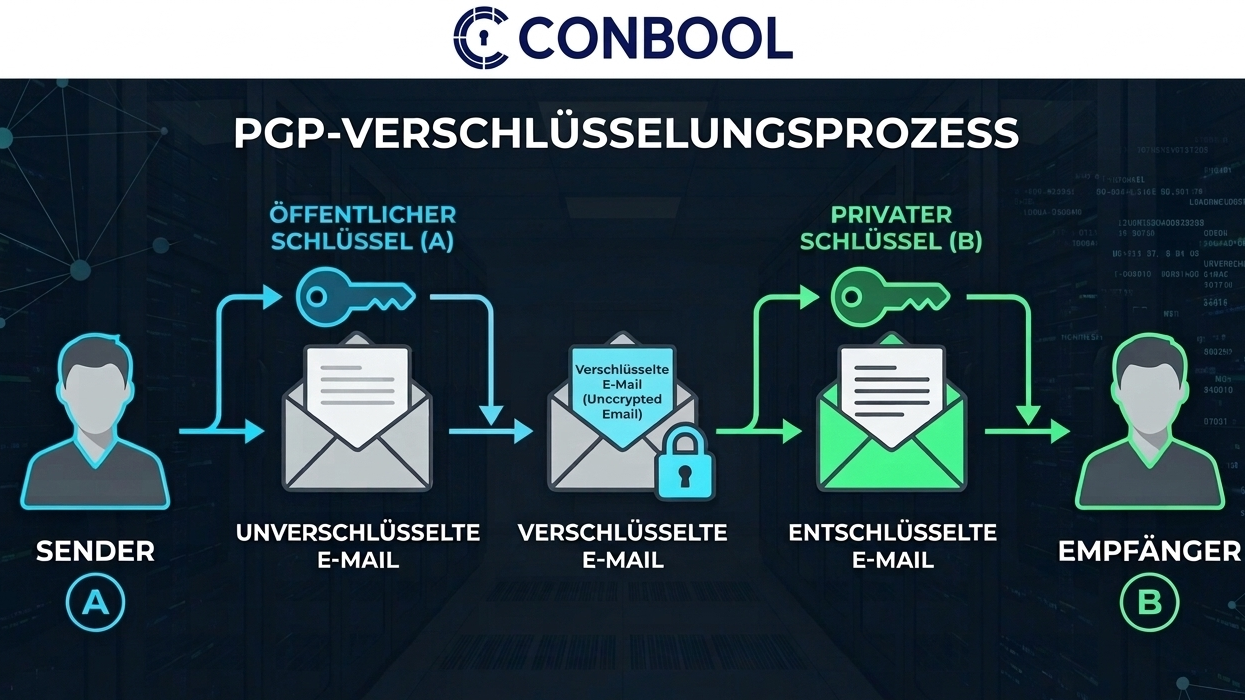
A PGP key is created in a minute. The decisions made before that determine whether it works without trouble for the next two years: algorithm, validity, backup and distribution.
Four decisions before the first click
Algorithm. Modern software creates keys based on elliptic curves, Ed25519 for signing and Cv25519 for encryption. They are short and fast. RSA with 4096 bits is the alternative when correspondents use very old software.
Validity. A key without an expiration date stays valid even after it has long been lost. One to three years is common. It can be extended at any time and the fingerprint stays the same. See renewing a PGP key.
Passphrase. It protects the private key if the file ends up in the wrong hands. Long, and not used anywhere else.
Revocation certificate. It declares the key invalid if it is lost or compromised. Store it separately from the key, because in an emergency the key may no longer be available.
Creating a PGP key with GnuPG
On the command line, one command creates a primary key and subkey valid for two years:
gpg --quick-gen-key "Max Muster <max.muster@example.com>" future-default default 2y
The values future-default and default matter. According to the GnuPG manual, only a primary key without a subkey is created as soon as algorithm or usage are specified differently. With exactly these values, both are created.
GnuPG stores a revocation certificate in the openpgp-revocs.d folder below the GnuPG home directory. Copy that file to a safe place right away.
Export the public key for correspondents:
gpg --armor --export max.muster@example.com > public-key.asc
And the private key for the backup:
gpg --armor --export-secret-keys max.muster@example.com > private-key.asc
Creating a PGP key with Kleopatra
Kleopatra is the graphical interface of Gpg4win on Windows. Create a new OpenPGP key pair from the File menu, enter name and address, and check algorithm and validity in the advanced settings. Kleopatra then asks for the passphrase. Share the public key through the export; Kleopatra also offers a backup of the private key.
Creating a PGP key with Thunderbird
Thunderbird has OpenPGP built in. In the account settings of the mailbox, under End-To-End Encryption, choose Add Key and create a new one. Then select the key for the account. The Thunderbird help recommends storing a backup of the key in a separate location.
Distributing the public key
A key is only useful once correspondents have it. The usual ways:
- Send it directly. As an attachment to a signed message. Many programs then offer to import it.
- Key server. For example keys.openpgp.org, which verifies addresses before publishing them.
- Web Key Directory. The key sits on a web server of your own domain and is found by mail programs automatically.
Confirming the fingerprint over a second channel, such as a phone call, rules out a substituted key.
Why this does not scale in a company
For one person, the guide above is complete. For a company with two hundred mailboxes it turns into an ongoing task:
- Two hundred private keys on two hundred computers, each with its own passphrase and backup.
- New employees need a key on day one; leavers leave one behind that nobody can access.
- Every key has its own expiry date.
- Mail is only encrypted when someone remembers.
That is why Conbool SecureMail creates PGP keys centrally. Enabled in a group, every member on a verified domain receives a key pair automatically, with Ed25519 or RSA 4096. New members usually get their key within an hour, and SecureMail renews it before it expires. Encryption and signing happen at the gateway by rule, without software on the computers. More on the PGP key management page; setup is described in the key management docs.
Frequently asked questions
Which algorithm should a new PGP key use?
Ed25519 is short, fast and the standard in current software. RSA with 4096 bits is the choice when correspondents use very old software.
Should a PGP key have an expiration date?
Yes. An expiration date makes a lost key unusable on its own. It can be extended at any time without changing the fingerprint.
What is a revocation certificate?
A pre-signed statement that the key is no longer valid. It is needed when the private key is lost or compromised and should be stored separately from the key.
Can PGP keys be created centrally for all employees?
Yes, with an email gateway that manages the keys. Conbool SecureMail creates them automatically per group for all addresses on verified domains and renews them before they expire.