Monday morning, three partners call: encrypted mail to accounting no longer goes out. Their mail client rejects the key, it expired over the weekend. The obvious reflex is a new key. The better move is almost always to renew the old one.
Why PGP keys expire at all
An expiration date is a safety net. If a private key and its passphrase are lost and no revocation certificate was prepared in advance, the key can no longer be withdrawn. It would sit on key servers and in correspondents' address books forever. With an expiration date it becomes unusable on its own.
Under the current OpenPGP standard RFC 9580, a key is valid from the time it was created until the stated expiration. That value is not stored in the key itself but in its self-signature.
What renewing actually does
This is exactly why renewal is simple. Setting a new expiration date writes a new self-signature with a later expiry. The key material is not touched.
According to RFC 9580, the fingerprint is calculated from the key packet, meaning the key material and the creation time. Neither changes. For your correspondents that means:
- No new fingerprint that someone has to verify over the phone.
- Old encrypted messages remain readable with the same private key.
- Routing rules, address books and approvals tied to the fingerprint keep working.
A new key breaks all three.
The trap: the subkey expires separately
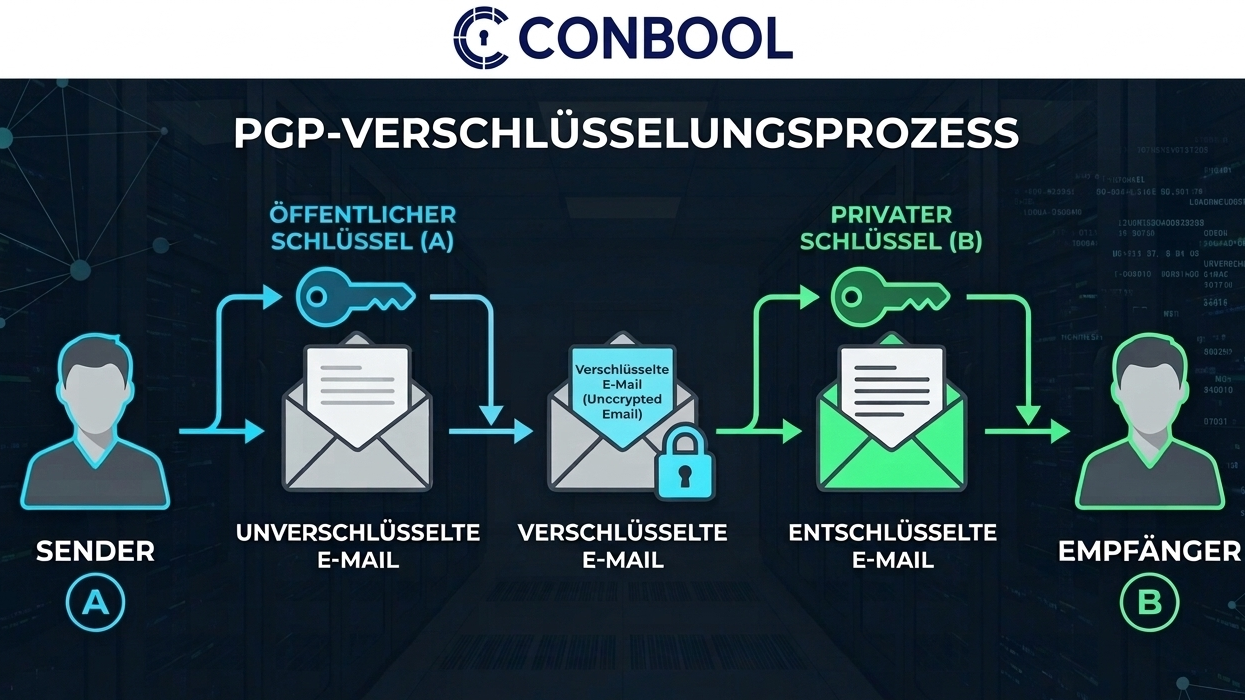
A typical PGP key has two parts. The primary key signs, a subkey encrypts. Each has its own expiration date.
If you only extend the primary key, you can still sign. Encrypted mail to you keeps failing because the encryption subkey has expired. This is the most common reason a renewed key "doesn't work".
Renewing with GnuPG
First, show the fingerprint:
gpg --list-secret-keys --keyid-format long
Then extend the primary key and the subkeys, here by two years:
gpg --quick-set-expire FINGERPRINT 2y
gpg --quick-set-expire FINGERPRINT 2y '*'
According to the GnuPG manual, the second command extends all subkeys that are neither revoked nor already expired. If the subkey has already expired, use edit mode:
gpg --edit-key FINGERPRINT
gpg> key 1
gpg> expire
gpg> save
key 1 selects the first subkey, expire asks for the new expiry. Without a selection, expire changes the primary key.
Finally, export the public key and distribute it:
gpg --armor --export FINGERPRINT > public-key.asc
Renewing with Kleopatra
In Kleopatra, the interface of Gpg4win, double-click the key. The details window has a Change expiry date button. Afterwards, export the public key and share it again.
Renewing with Thunderbird
Thunderbird has its own OpenPGP management. Open Tools › OpenPGP Key Manager, double-click the key and choose Change Expiration Date. For keys with a complex structure Thunderbird refuses. The fallback is GnuPG: export the private key, extend it there, import it back.
What correspondents need to do
Renewal only takes effect where the new public key arrives. Anyone holding the old copy still sees the key as expired.
- Send the updated public key to all correspondents or upload it to the key server they use.
- They import it. The fingerprint matches the one they know, no new verification is needed.
- If the key is stored in a gateway or mail system, update it there too.
Signatures created before expiry remain verifiable. Mail clients usually point out that the key has expired.
When a new key is the right choice
Renewal is the rule, not always the answer. Create a new key when
- the private key may be compromised or the passphrase is lost,
- the algorithm is outdated, such as RSA with 1024 bits,
- the key belonged to a person who has left the company.
In the first case, also revoke the old key.
The real problem in a company
One key is renewed in a minute. Two hundred are not. In practice, keys are created on individual workstations, each with its own expiry date, and nobody has the list. It surfaces when a partner calls.
Conbool SecureMail solves this centrally. PGP keys can be created automatically per group, and the automation renews them 30 days before expiry, keeping the fingerprint. Imported keys are left alone; the automation only reports when one is about to expire. More on the PGP key management page; setup is described in the certificate and key management docs.
Frequently asked questions
Does the fingerprint change when a PGP key is renewed?
No. The fingerprint is calculated from the key packet, meaning the key material and the creation time. The expiration date lives in a signature that is rewritten when the key is renewed.
Can an already expired PGP key still be renewed?
Yes, as long as you still have the private key and its passphrase and the key has not been revoked.
Do I have to redistribute the public key after renewing it?
Yes. Correspondents holding the old copy still see the key as expired. They need to re-import the public key, but they do not need to trust it again because the fingerprint stays the same.
When should you create a new key instead of renewing?
When the private key may be compromised or the passphrase is lost, when the algorithm is too weak, or when the key belonged to a person who has left the company.