A mid-sized company with a hundred employees easily sends several thousand external emails a week. Each of them is read by someone who already deals with the company: customers, suppliers, applicants, partners. For a note about the next trade fair, a webinar or a new service, there is hardly a space closer to the right audience.
Even so, the space below the signature stays empty in many companies, or has carried the same image for years. The reason is usually organisational: anyone who wants to change a banner has to ask every employee to update their signature, and nobody knows afterwards whether it achieved anything.
This article describes how banners can be managed centrally, how to define audience and runtime, and which figures can be evaluated reliably afterwards.
Banner and campaign as separate blocks
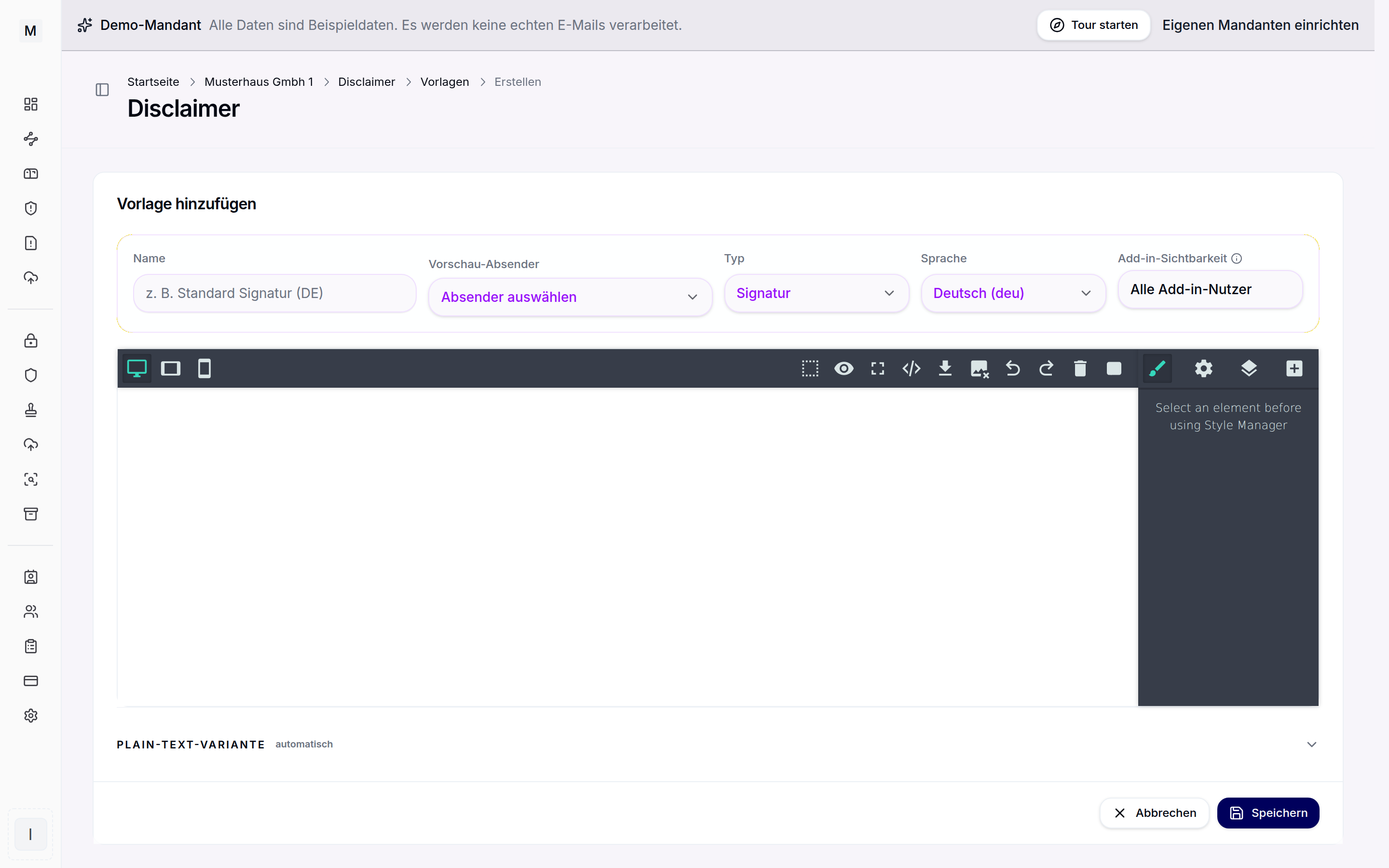
In Conbool Signature there are four kinds of templates: signature, legal notice, banner and campaign. Banner and campaign are templates of their own, separate from the signature. That has a practical advantage: marketing can maintain its block without touching the signature or the legal text, and a change to the signature does not disturb a running banner.
Both are designed in the same block editor as the signature, with images, text and colours from the brand kit. For banners, the same applies as for any image in an email: it needs alternative text, because many recipients only see images after a click, or not at all. The check before saving points out missing alternative text, weak contrast and oversized images.
Banners and campaigns are appended server side through the mail flow. They therefore appear below every email that passes through the mail flow, regardless of the device, including smartphones. The Outlook add-in, in contrast, only delivers the signature itself.
Audience by rule
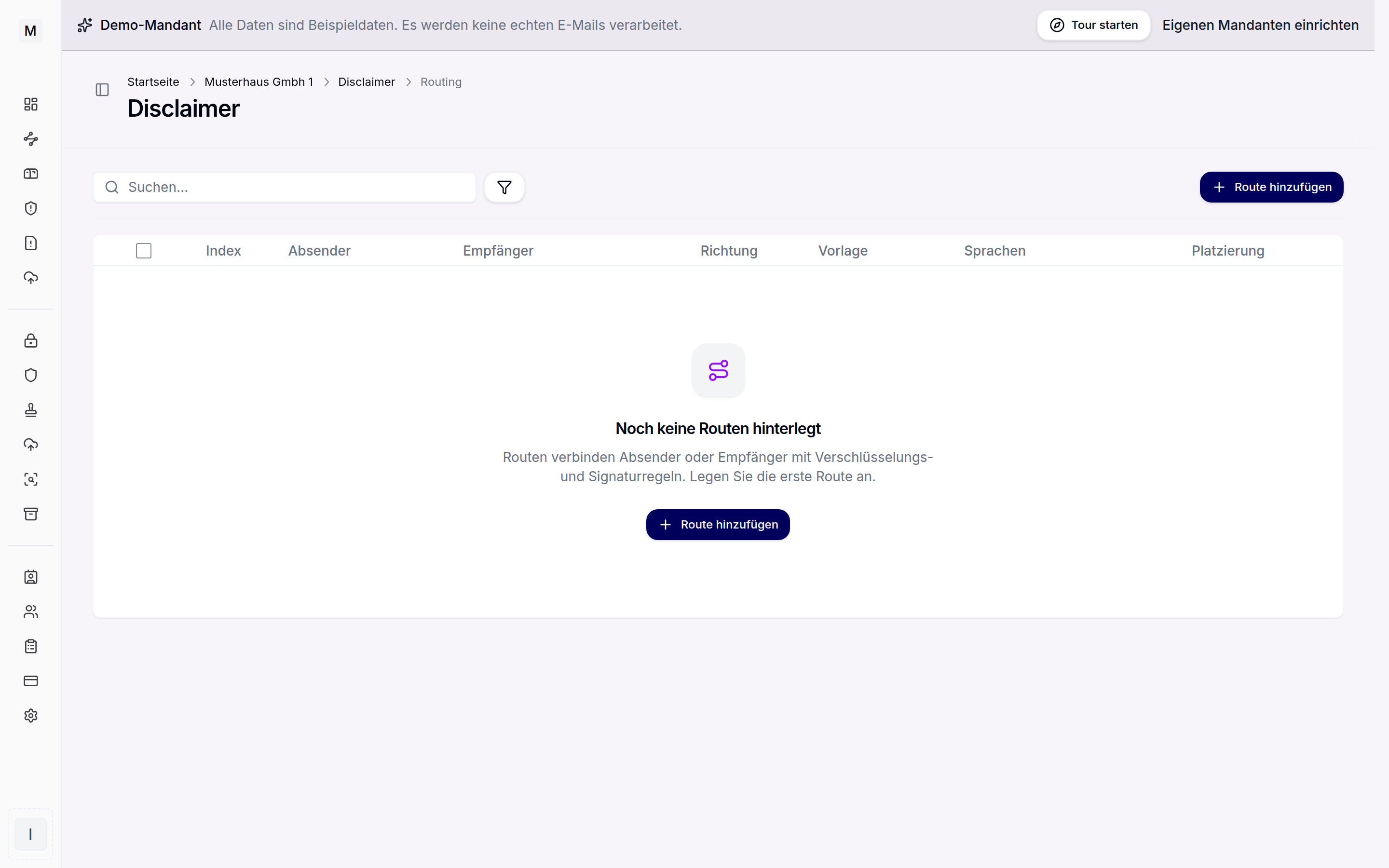
Which email carries which banner is decided not by the template but by the rule. A rule defines:
- Sender: everyone, individual addresses or groups from the directory, also negated, such as "everyone except HR",
- Recipient: likewise, for example only a specific customer domain,
- Direction: outgoing or incoming, internal or external,
- Priority, when several rules match,
- Exceptions by sender, recipient, subject, body text or header.
This allows campaigns to be targeted very precisely. A trade fair banner runs only for the sales teams attending the fair. A note about the new customer portal goes only to external recipients, not to colleagues. A job advert appears below emails from HR, but not in replies to applicants whose process is already under way, provided those emails can be recognised by their subject.
A rule can also define what happens with replies and forwards: the same layout as the first message, a separate shorter layout, or nothing at all. For banners this is often the most important setting. A banner in the first email is a note; the same banner five times in a long thread is noise.
A schedule instead of a calendar reminder
The most common problem with signature banners is not the start but the end. The fair is over, and the banner is still inviting people to it three weeks later.
That is why the period belongs to the rule: valid from, valid until. The banner appears from the start time and disappears by itself at the end. Because the period belongs to the rule and not to the template, the same template can be used in several rules with different runtimes, for example earlier for sales and later for everyone.
What can be measured
Anyone who puts money or time into a banner wants to know whether it was read. It is worth taking a sober look at what can be measured reliably in email at all.
Opens cannot be measured reliably. The usual method is a tracking pixel: an invisible image loaded from the server when the email is opened. That figure has been unreliable for years. Since 2021, Apple Mail can preload images through its own service, regardless of whether the recipient reads the email. Other programs only load images once they are allowed. The open rate is therefore too high and too low at the same time. In addition, a tracking pixel in business correspondence records the reading behaviour of individual recipients who never agreed to it. Newsletters solve this with consent; in day-to-day customer correspondence nobody asks.
Conbool Signature therefore does not use tracking pixels and does not report open rates.
Clicks can be measured, in two ways.
Option 1: UTM parameters
Campaign parameters are appended to every target address in the banner, typically utm_source, utm_medium, utm_campaign, plus utm_content and utm_term if needed. The link leads directly to your page, and your own analytics tool attributes the visit to the campaign.
Advantage: the figures end up where marketing already works and can be connected with everything that happens on the website afterwards. Disadvantage: it only works for targets you analyse yourself. If the banner leads to a third-party registration page, such as the trade fair organiser's, you see nothing. And visitors who decline the cookie banner on your website may not appear in the statistics either, depending on your setup.
Option 2: Own click counting
The links run through a signed redirect at Conbool. The click is counted and the recipient is forwarded to the target immediately. This works for any target, including third-party pages, and needs no analytics tool.
The trade-off: when hovering over the link, the recipient sees the address of the redirect, not the target address straight away. That is worth knowing before deciding on it. Signatures and legal notices are not affected; measurement is only available in templates of the kinds banner and campaign.
Machine requests: the reason for figures that look too good
Anyone who has evaluated click figures from emails knows the pattern: shortly after sending, every second recipient seems to click, within seconds. Those are not people. Many companies have links in incoming emails checked automatically, for example by an upstream gateway or by the link checking in Microsoft Defender for Office 365. The filter requests every link.
Without separation, these requests would be clicks. Own click counting therefore lists them separately as machine requests; they do not count as clicks. Both figures remain visible. A high share of machine requests is not an error; it shows how many recipients have their mail filtered.
The results
Under "Campaigns", the portal shows for a selectable period:
- clicks and machine requests, separately,
- the trend over time,
- figures per block, that is per banner or campaign template,
- the most frequent targets.
Counting is per block, not per rule. If the same campaign sits in three rules, the result is one figure for the campaign. If you want to compare audiences, create separate templates for them or distinguish them through the UTM parameters.
What is deliberately not available: open rates, conversions and results per recipient. Whether a click turned into a registration or an order belongs in the tool that analyses the target page.
A practical sequence
- Marketing creates a template of the kind campaign, for example "Open house March", with an image, alternative text and a link to the registration page.
- In the template, the measurement is chosen: UTM parameters if the registration page is on your own website, otherwise own click counting.
- A rule applies the campaign to outgoing emails to external recipients, senders are the Sales and Customer Service groups, valid from 1 February until the day of the event.
- For follow-up messages the campaign is not repeated.
- After two weeks, the results show clicks, machine requests and the distribution across targets. On the day of the event, the campaign ends by itself.
Conclusion
The signature is one of the few advertising spaces that reaches only people a company is already in conversation with. It works best when it is managed centrally, runs in a targeted way and ends reliably. For measurement: better a few honest figures than many embellished ones. Clicks can be captured cleanly when scanners are filtered out. Opens cannot.
Examples of use in different departments are on the page banners and campaigns in the email signature. All features at a glance are on the Conbool Signature product page.