The classic satisfaction survey arrives two days after the conversation, has twelve questions and ends up in the "read later" folder. Response rates are low accordingly, and the few answers tend to come from people who wanted to complain anyway.
Yet there is a moment when the customer is reading what you wrote anyway: the reply itself. If a short question with a scale sits underneath, giving feedback costs one click. No second email, no form, no account with a survey service.
This article shows how that works, which scale fits which purpose and where such measurement produces misleading figures.
How a rating in the signature works
Technically, the rating is not a form inside the email but a row of links. Each level of the scale, every thumb, star or score, is a link of its own. Forms in emails often do not work or are blocked; links work everywhere, including plain text.
A click opens a thank-you page in the browser. There, the recipient confirms the rating and, if you allow it, can leave a short comment. Only the confirmation counts.
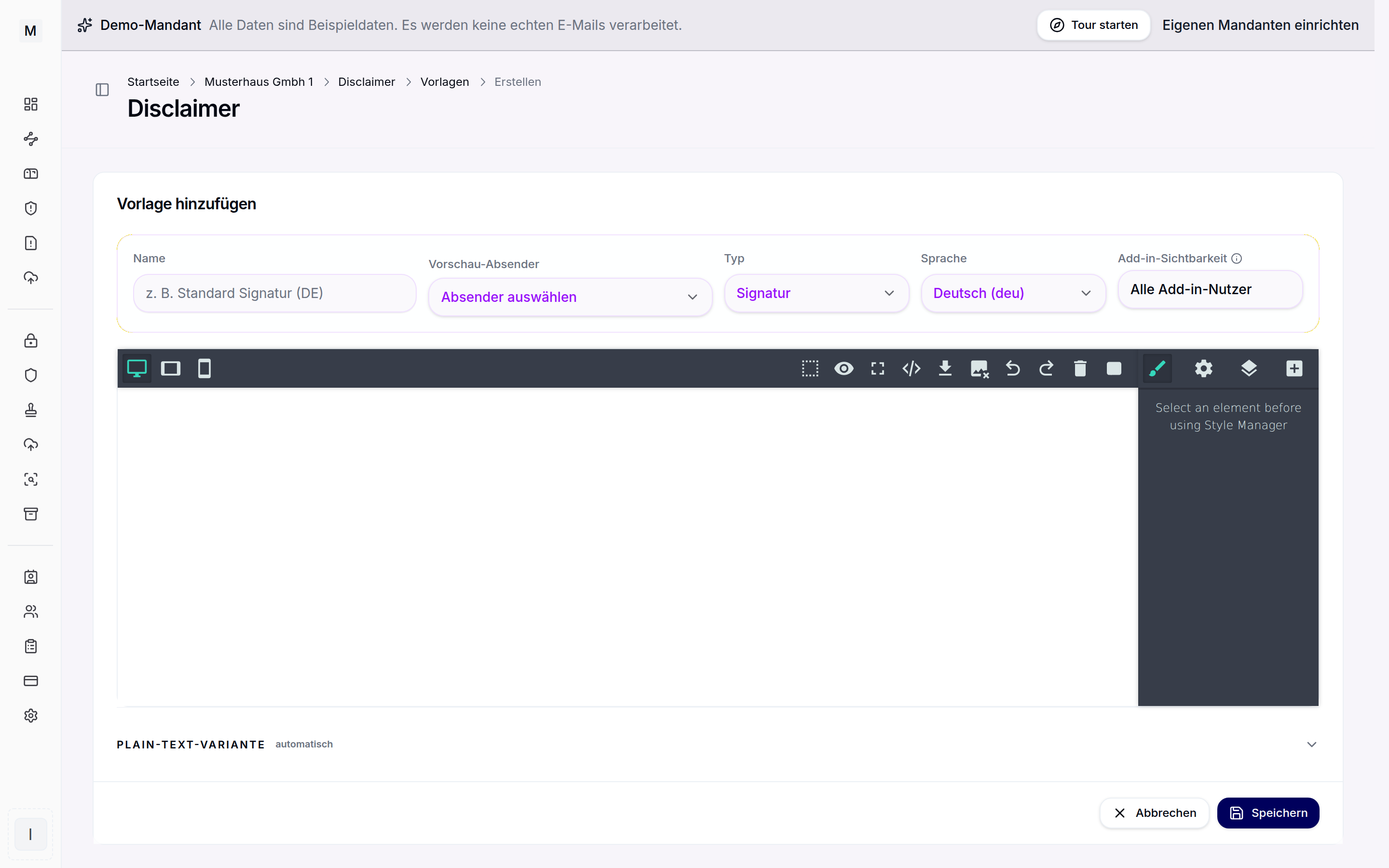
In Conbool Signature this is the "Rating" block in the block editor. It is dragged into a signature template like any other block and connected to a survey. The rating is inserted server side through the mail flow. It is not available through the Outlook add-in alone, without the mail flow, because the add-in only delivers the signature itself.
Which scale fits which purpose
The scale you choose determines what you can read from the figures later. The options are:
| Scale | Suited for | What it tells you |
|---|---|---|
| Thumbs | quick feedback on a single reply | share satisfied / dissatisfied |
| Yes / No | one specific question, such as "Did this solve your issue?" | resolution rate |
| Smileys (3) | service with many short contacts | sentiment with a neutral middle |
| Smileys (5) or Stars (5) | finer gradation, comparison over time | average and distribution |
| Score 0 to 10 | loyalty to the company as a whole | Net Promoter Score (NPS) |
Two practical notes: the finer the scale, the more ratings you need before a change is more than chance. And the 0 to 10 score essentially asks whether the recipient would recommend the whole company. Below a single support reply that is often the wrong question; below the completion of a project it fits well.
The question itself should match the email. "How satisfied were you with our reply?" is more honest than "How satisfied are you with us?" when the email above contains a single answer.
Only with one external recipient
A rating is only meaningful if it is clear who is rating. If a reply goes to five people at the customer, each of them can click, and the result is no longer a judgement but a mixture.
The default is therefore: the block only inserts the rating if the email has exactly one external recipient. Internal colleagues in copy do not affect this. With several external recipients no rating appears. If you deliberately want it otherwise, you can turn the default off; one rating per email then counts.
In any case only one rating per email applies. Anyone who clicked the wrong level can change it within 24 hours.
Scanners click too, but they do not count
The most common reason for implausible figures from links in emails is not people but security filters. Many companies have incoming links checked automatically, before the email reaches the mailbox or when it is opened. The filter requests every link, including every star of a rating.
Without countermeasures, every email to such a recipient would suddenly carry five ratings, from "very poor" to "very good". That is why a rating only counts once it has been confirmed in the browser. Requests recognised as link scanners and unconfirmed clicks are listed separately under "Not counted" in the results and do not enter the figures. Ratings from your own organisation, such as a test, can be marked as invalid with a reason.
What the results show
For each survey, the portal shows:
- Satisfaction: the share of positive ratings, compared with the previous period,
- NPS for the 0 to 10 score,
- Average and distribution by level,
- Trend per day, week or month,
- breakdown by template and by department,
- the individual ratings with comments, searchable and filterable,
- a CSV export for your own analysis.
The department is that of the sender at the time of sending. Figures per department only appear above a minimum number of counted ratings, so that a small department does not turn into an evaluation of a single person through the back door.
Notifications can be set up: for a negative rating, for detractors on the score scale, for a new comment, when satisfaction drops below a value, or as a regular report. They are sent by email, through the bell in the portal or by webhook, for example into a Teams channel, immediately or bundled, with quiet hours for nights and weekends.
Works council and section 87 of the German Works Constitution Act
As soon as a rating can be attributed to a sender, it is no longer just customer feedback but also a statement about an employee's work. Under section 87(1) no. 6 of the German Works Constitution Act (BetrVG), the works council has a right of co-determination over the introduction and use of technical devices designed to monitor the behaviour or performance of employees. In settled case law, the Federal Labour Court considers the objective suitability for monitoring to be sufficient.
For the rollout this means:
- Results per employee are turned off. That is the default for every new survey. Only someone with the separate permission "View survey results per employee" can turn them on, and even then figures only appear from five ratings per person.
- Employees are not informed at first either. Whether someone receives a summary of their own ratings or individual notifications is a separate setting and requires results per employee.
- Talk to the works council beforehand. Results by department and template can also be relevant for co-determination when teams are very small. A short works agreement that sets out the purpose, the level of evaluation and who receives the figures creates clarity for everyone.
On the recipient side: the thank-you page names your company as the controller and links to your privacy notice; the link is mandatory. It sets no cookies and loads no third-party scripts. What is stored is the level, the time, the comment and which employee sent the email, but not the recipient's address, IP or name. Comments are deleted after 180 days, ratings after 400 days.
Three examples
Support at a software company. Below every reply from the support team: "Did this solve your problem?" with Yes / No. The rule applies only to outgoing emails from the Support group to external recipients. A notification sends every negative rating with a comment straight to the team lead's Teams channel during working hours; overnight ratings arrive bundled in the morning. Once a week, management receives a report covering all surveys.
Law firm. Ongoing correspondence on a matter is not a good place for stars. A separate template for closing a matter makes more sense, for example for the letter that sends the final invoice or the last documents. Below it sits the 0 to 10 score with the question about recommendation. Comments stay off, so that nobody writes details of the matter into a free text field.
Medical or therapy practice. Confirmations and organisational questions go out by email anyway. Three smileys with the question "How satisfied were you with how your appointment was organised?" measure exactly what the practice can influence. Here too: comments off, so that no health information arrives this way, and no results per employee.
What matters
A rating in the signature does not replace a detailed customer survey. It measures something else: satisfaction with a specific contact, at the moment it happens, with a hurdle of one click. For the figures to hold up, three things are needed: a question that matches the email, counting that filters out scanners and multiple recipients, and an agreement on who sees which figures.
How this can be used across departments and industries is shown on the page customer survey in the email signature. An overview of all features is on the Conbool Signature product page.