Certificate Export
Export S/MIME certificates for backup or integration into other systems.
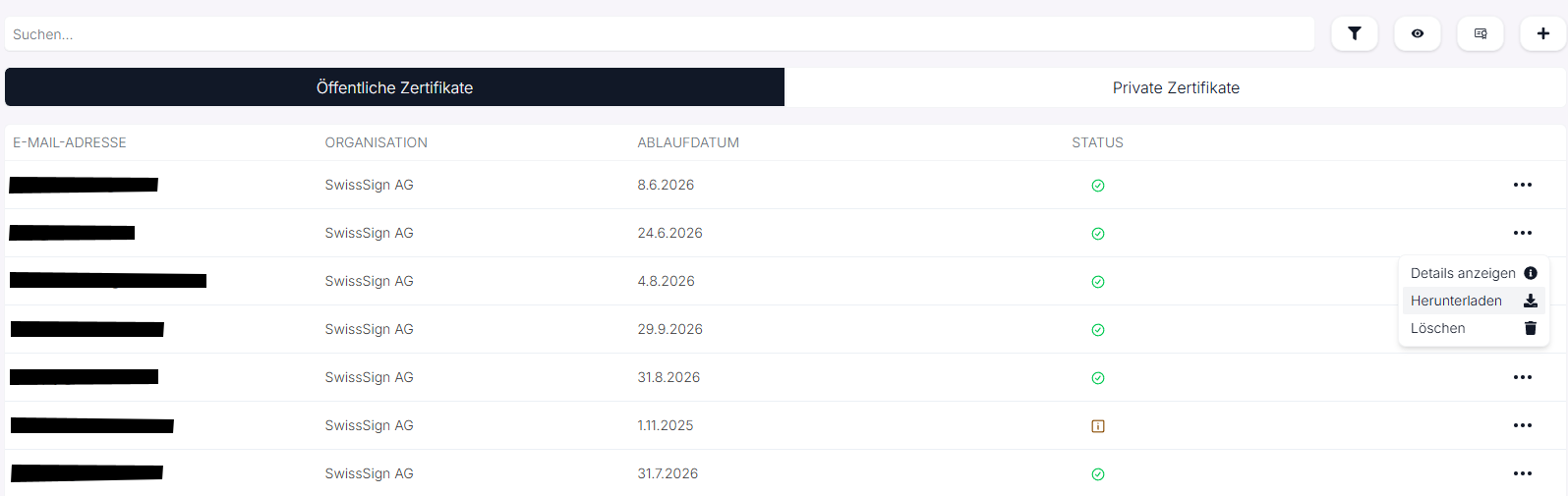
In the S/MIME section, existing certificates can be exported directly, for example for backup or for use in external systems.
Procedure
- Open the "Public Certificates" or "Private Certificates" tab.
- Click the three-dot menu (⋯) on the right side of the desired entry.
- Select "Download".
- The certificate is exported in the appropriate format:
- Public certificates:
.ceror.p7b - Private certificates (with key):
.p12
- Public certificates:
Alternatively, you can select and download multiple certificates.
Notes
- Private certificates require their passphrase to be re-imported. You can find this under Details.
- Public certificates can be exported and shared at any time without a password.
- The export is suitable for integration into email clients, gateways or backup systems.