Configure DKIM
Set up DKIM (DomainKeys Identified Mail) to ensure the authenticity of your outbound emails.
What is DKIM?
DKIM (DomainKeys Identified Mail) is an email authentication method. It ensures that an email actually originates from the specified domain and has not been altered in transit. Recipient servers verify the DKIM signature to confirm the authenticity of the message.
Without DKIM, emails sent through Conbool may be classified as suspicious or end up in the recipient's spam folder.
Add DKIM DNS Record
After the initial setup of Conbool, an additional DNS record is required to fully activate DKIM.
Step 1: Retrieve DKIM Key from the Setup Assistant
The required information is displayed in the Setup Assistant in the Verification step. There you will find the DKIM hostname and the corresponding TXT value:
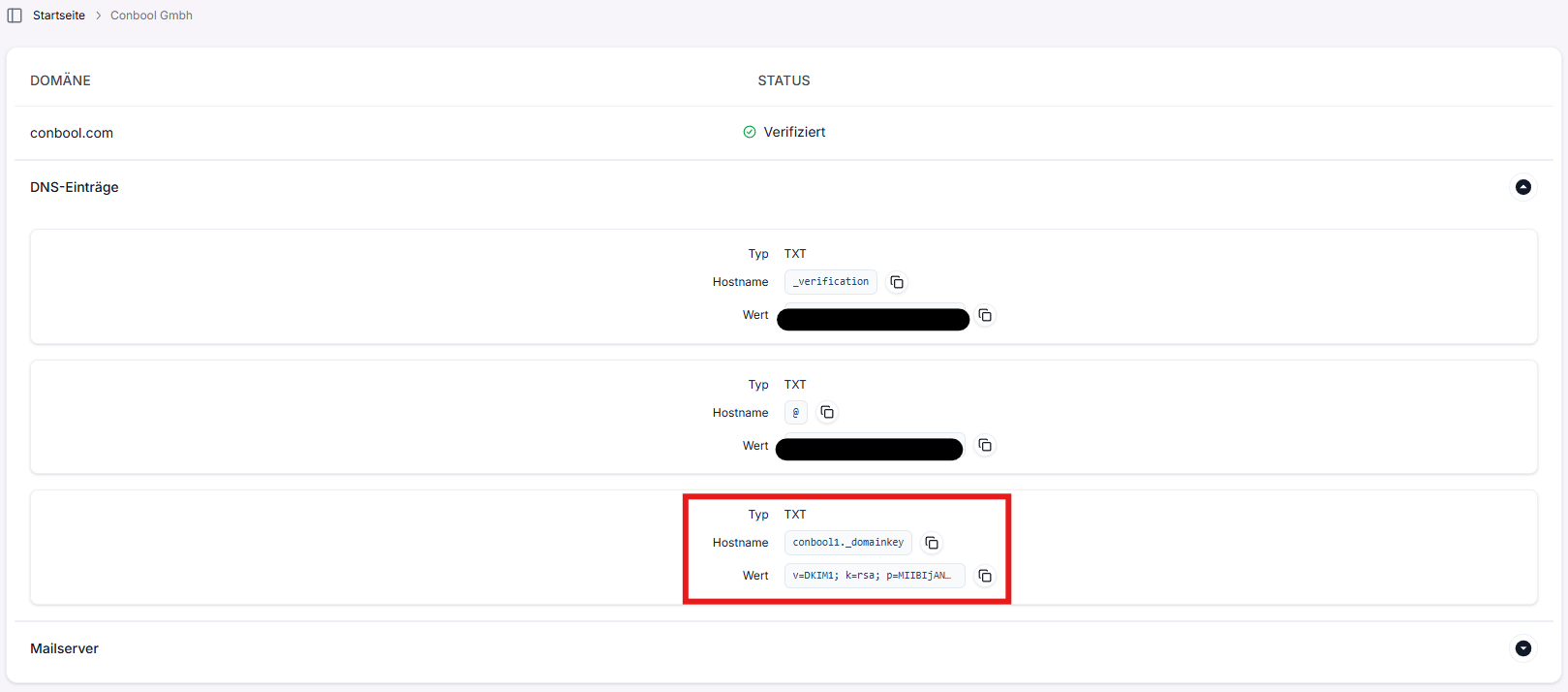
Step 2: Set DNS Record at Your Provider
Create the following DNS record at your domain provider:
| Field | Value |
|---|---|
| Type | TXT |
| Name/Host | conbool1._domainkey |
| Value | The value displayed in the Setup Assistant (format: v=DKIM1; k=rsa; p=...) |
| TTL | 3600 (1 hour) |
Step 3: Verification
After setting the DNS record, propagation can take up to 24 hours. Conbool automatically checks the record and displays the status in the Setup Assistant:
- Green (✓): DKIM is correctly configured.
- Red (✗): The DNS record has not been found yet or is incorrect.
Interaction with SPF and DMARC
For optimal email deliverability, we recommend configuring SPF and DMARC correctly in addition to DKIM:
- SPF: Defines which servers are allowed to send emails for your domain. The SPF record is created during Domain Registration.
- DMARC: Defines what happens to emails that fail SPF or DKIM checks. Recommended record:
v=DMARC1; p=quarantine; rua=mailto:dmarc@yourdomain.com
Common Errors
- Incorrect host name: The DKIM selector must be exactly
conbool1._domainkey(without the domain at the end). - Record type: The DKIM record is set as a TXT record.
- Propagation time: DNS changes can take up to 48 hours. Check the status in the Setup Assistant.