A business email is legally nothing other than a classic business letter. If important mandatory information is missing from the email signature, severe formal warnings and fines can follow — even if the email is just a brief appointment confirmation.
But which information is actually legally required in 2026? In this guide, we clarify the business email signature regulations for various legal forms, provide tips on GDPR, and show how to ensure compliance across the entire company.
Why the Email Signature Is a Legal Minefield
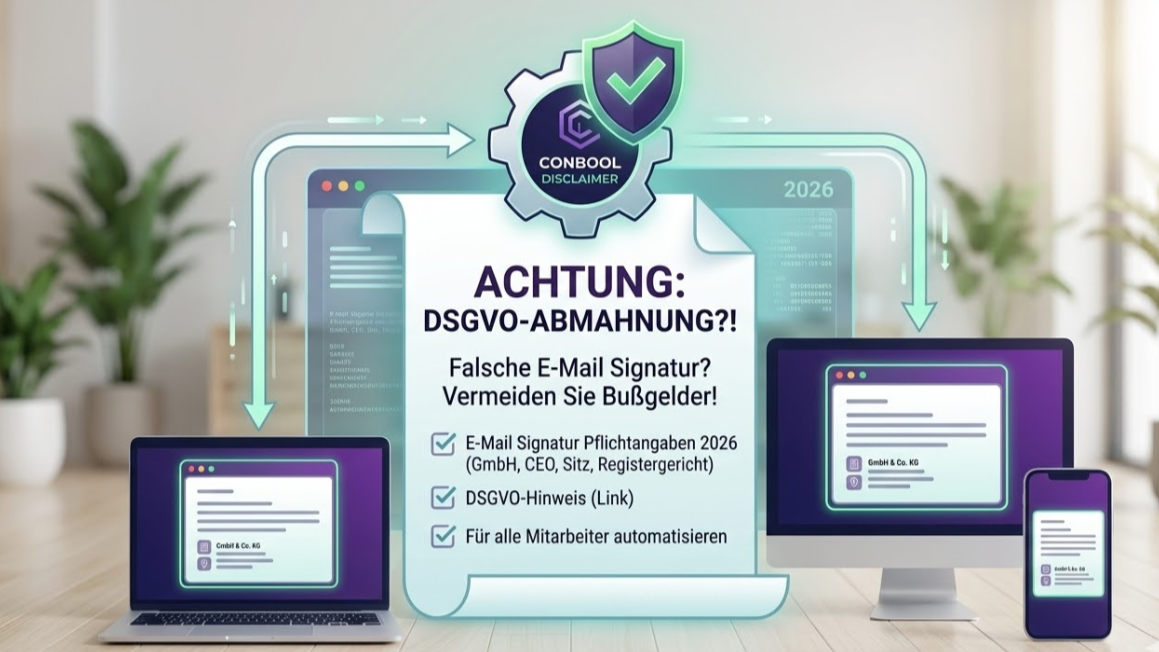
TL;DR: Business emails are subject to the same mandatory information requirements as classic business letters. GmbHs and UGs must state the company name, registered office, registration court, HRB number, and all managing directors; freelancers must include at least their first/last name and a service address. A GDPR link to the privacy policy is not mandatory but recommended practice. Central disclaimer management ensures company-wide compliance.
The German Commercial Code (HGB) and the Limited Liability Companies Act (GmbHG) clearly regulate: Anyone who communicates for business purposes must clearly disclose their identity.
The biggest challenge for companies is not knowing the rules, but enforcing them with every employee. When employees maintain their Outlook signatures themselves, gaps almost always arise — and the signatures tend to disappear after updates or on other devices. An outdated address, an incorrect managing director after a change, or a forgotten registry entry is already enough for a violation.
The Checklist: Mandatory Information by Legal Form
Depending on the company form, the legal requirements for the email disclaimer differ.
Mandatory Information for GmbH & UG (limited liability)
If your company is registered in the commercial register, the requirements according to Section 35a GmbHG are particularly strict. The email signature of a GmbH must include:
- The full company name (exactly as in the commercial register, including the legal form suffix such as "GmbH").
- The registered office of the company (place of establishment).
- The competent registration court and commercial register number (HRB).
- All acting managing directors (first and last name).
- Optional, but important: If the company is in liquidation, this must be stated.
Mandatory Information for Sole Proprietors (e.K.)
- The company name registered in the commercial register (including the suffix "eingetragener Kaufmann" / "e.K.").
- Registered office of the business.
- Registration court and commercial register number (HRA).
Mandatory Information for Freelancers and Small Business Owners (without commercial register entry)
Those not registered in the commercial register must provide at least this basic information:
- First and last name of the owner (a fantasy name alone is not sufficient!).
- A service address (no P.O. box).
GDPR and Confidentiality Notices: What Makes Sense?
Beyond the hard corporate law facts, long legal notices (disclaimers) or GDPR additions are often found at the bottom of emails.
Does the GDPR need to be in the signature? There is no direct obligation to copy the complete privacy policy into every email. However, Art. 13 GDPR obliges companies to inform data subjects about the processing of their data. It is therefore common and legally sound practice to place a short link to the privacy policy on the company website in the signature (e.g.: "For privacy information, please visit [Link]").
Are confidentiality disclaimers effective? Texts like "This email is confidential and intended only for the addressee..." often have no legally binding effect in Germany when sent unsolicited. Nevertheless, they are frequently used for compliance reasons (and for international correspondence).
The Solution: How to Make Your Signatures 100% Legally Compliant
The greatest risk of formal warnings is the human factor. If you have 50, 500, or 5,000 employees, you cannot check daily whether everyone has correctly stored the current email mandatory information in their email client.
The only scalable solution is to take control away from the end devices and manage it centrally on the server.
With a professional solution for Email Disclaimer Management like Conbool, you solve the problem permanently:
- Central Control: You create the legal mandatory information (and marketing banners) once as a template.
- Automatic Attachment: The gateway automatically appends the correct signature during email sending (mail flow) — regardless of whether the employee sends from a PC, via webmail, or from a smartphone.
- Zero Error Rate: When there is a change in management, you update the central template. All employees send in legal compliance from the very next second.
If you want to see the signature while composing, add the Conbool add-in for Outlook.
Don't leave your business communication to the chance of local Outlook installations. Secure your company centrally.
Learn more about central Email Disclaimer Management for Microsoft 365.
Also read: Automated Email Signatures for Companies and Email Disclaimer Management for Microsoft 365.